Entier · Sacramento, CA

Achieve more,
one step at a time.

A small studio making focused software. Kinetic Studio and Kinetic bring motion to Shopify storefronts. NoteOut helps you finish one small thing a day.

Explore the tools

01 — Shopify app · new

Kinetic Studio

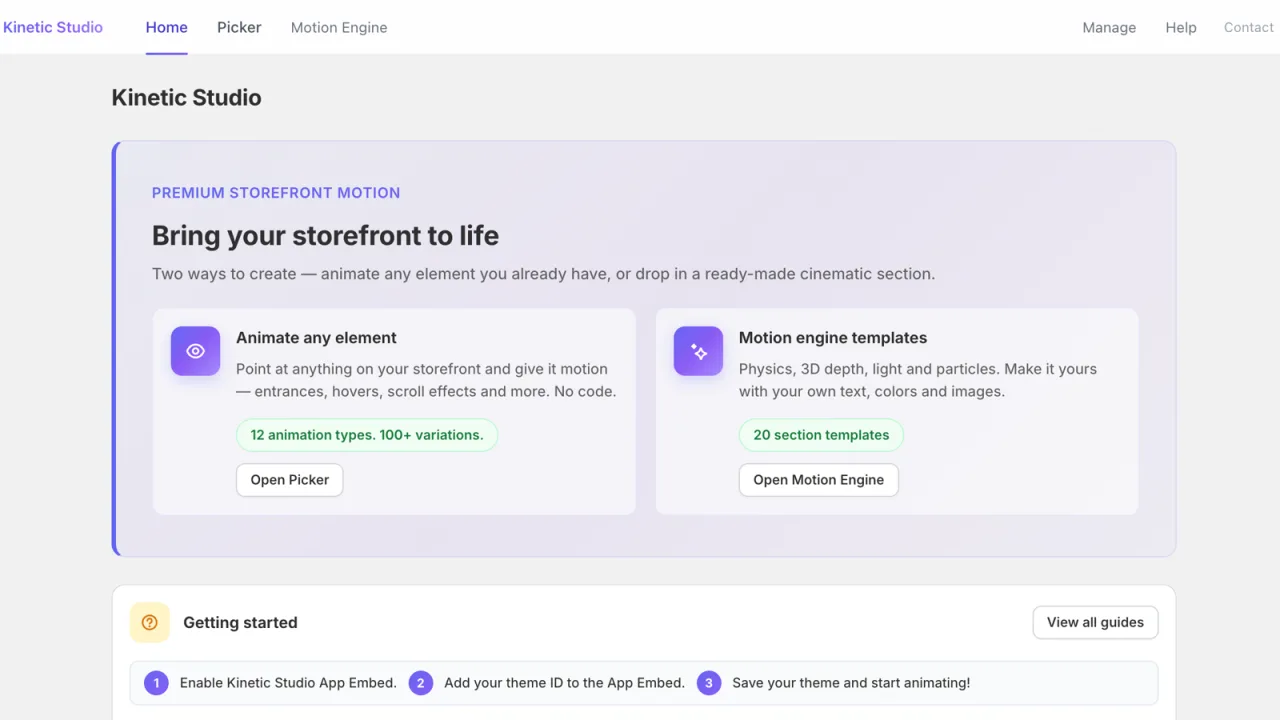
Premium storefront motion, two ways.

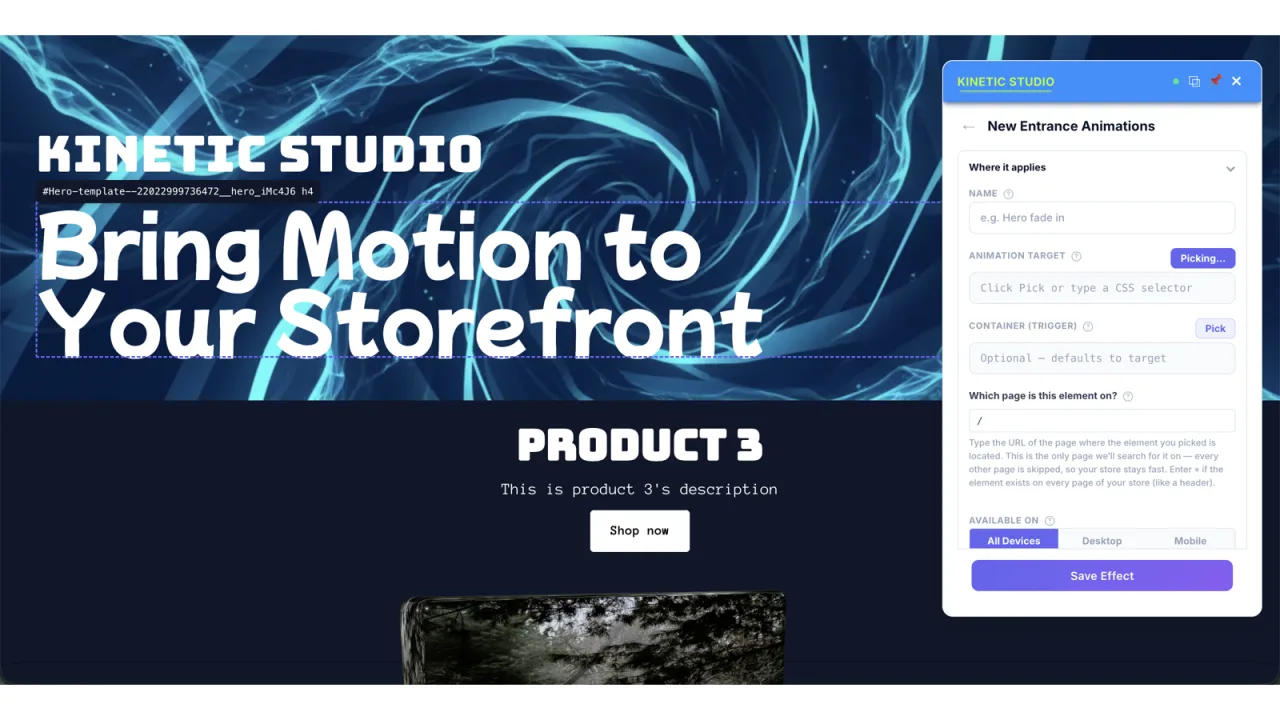
Point at anything on your store and give it motion: entrances, hovers, scroll effects, animated text, counters and more. Or open the Motion Engine and drop in a ready-made cinematic section with physics, 3D depth, light and particles, pre-filled from your own products and finished with your text, colors and images.

Everything previews live, saves as a draft until you're ready, respects visitors' reduced-motion settings, and never asks you to write code.

  • 12animation types
  • 100+variations
  • 20section templates
  • 0lines of code

PickerAnimate any element

Click an element on your live storefront, choose a type, tune the timing, save. Twelve animation types, each with its own variations.

  • Entrance
  • Scroll
  • Hover
  • Text
  • Counter
  • Text gradient
  • Gradient background
  • Progress
  • Interactive
  • Sticky
  • Decorate
  • Motion Engine

Motion EngineCinematic sections

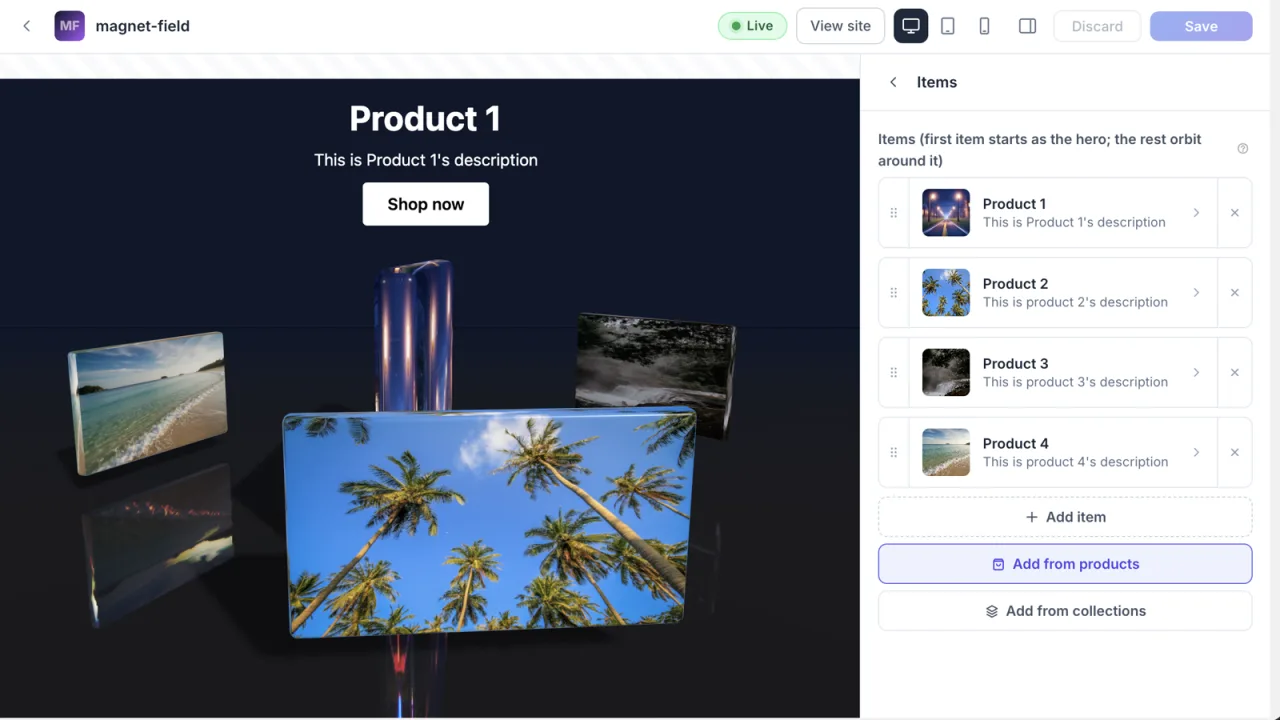
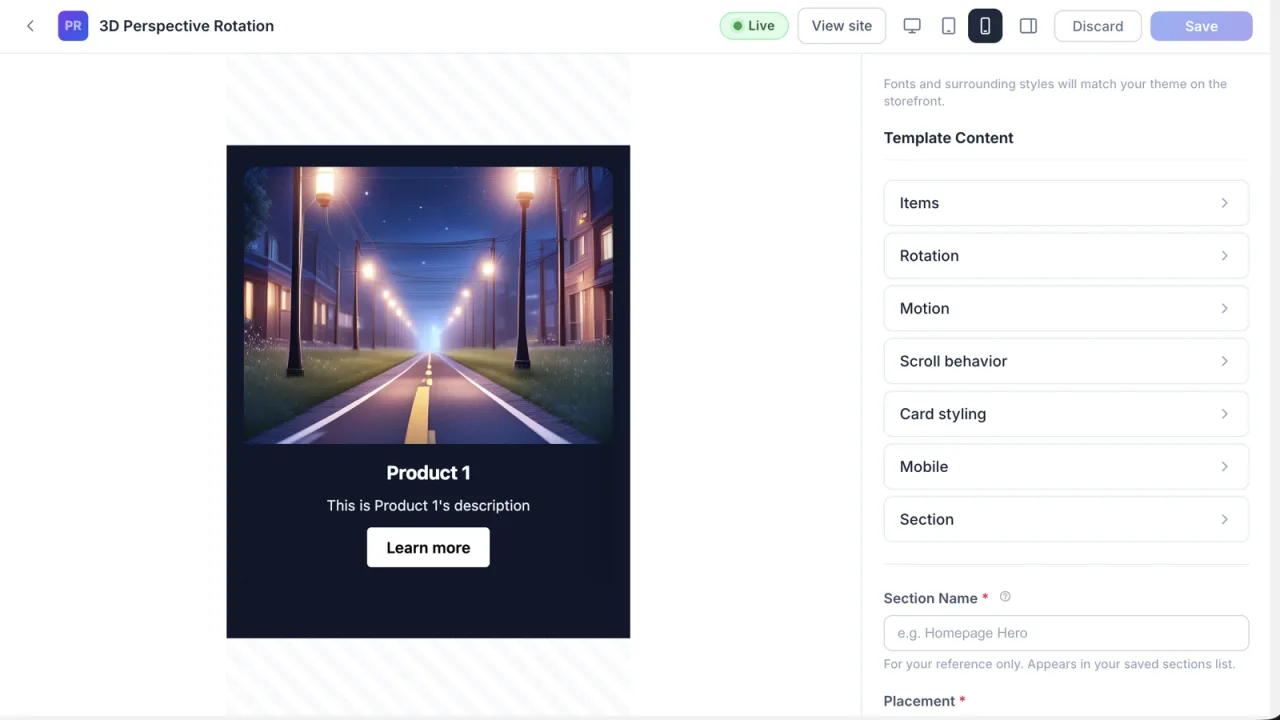
Twenty section templates: scroll-driven product stories, 3D carousels and showcases, video scrubbing, liquid imagery and animated text, pre-filled from your products and collections.

  • Pre-fillAdd items straight from your products or collections.
  • Make it yoursYour text, colors, images, fonts and spacing.
  • Draft firstPreview live, publish when it's right, remove in one click.

Templates: Pinned Feature Showcase, Horizontal Scroll Gallery, Split-Screen Story, Timeline, Statistics Counter, 3D Image Carousel, 3D Perspective Rotation, Time Scrubber, Depth Painting, The Shatter, Liquid Lens, Liquid Stack, Liquid Reveal, Liquid Text Window, Morphmask, Spatial Stack, Magnet Field, Volumetric Type, Text Swarm, Text Glitch.

02 — Shopify app · since 2022

Kinetic

Animate just about any element on your storefront.

The lightweight original. If all you want is scroll-triggered entrances, this is the simpler tool.

Point Kinetic at an element with a CSS selector and it animates the moment it scrolls into view. Pick one animation for scrolling down and another for scrolling up, set the speed and delay, and decide what happens on mobile.

Your theme code is never touched. From subtle fades to bold entrances, Kinetic guides attention naturally down the page.

  • 70+ animations
  • Triggers in view
  • Up & down variants
  • Speed & delay
  • Mobile controls
  • No code
Free shipping on orders over $50
Kinetic AnimationsHomeCatalogAbout

New season

Everything in motion

Shop all

Products

  • $28
  • $32
  • $28
  • $36
  • $30
  • $34

Lookbook

Made to move

Explore

Featured

  • $32
  • $30
  • $28
© Kinetic Animations · Powered by Shopify
Scroll inside the window. Elements animate as they enter view.

03 — iPhone app · also on Mac and Vision Pro

NoteOut

Do it. Move on.

NoteOut helps you finish one small thing a day. You get a tag and a few random words. Write a single sentence using them, or ignore them, then save it and move on. It should take about a minute. Don't perfect it; that's the point.

It isn't a note-taking app. It's a task-training routine: act on the thought, accept the accomplishment however small, and build the momentum that sees bigger goals through.

  • Tags & random words
  • Daily, weekly or monthly reminders
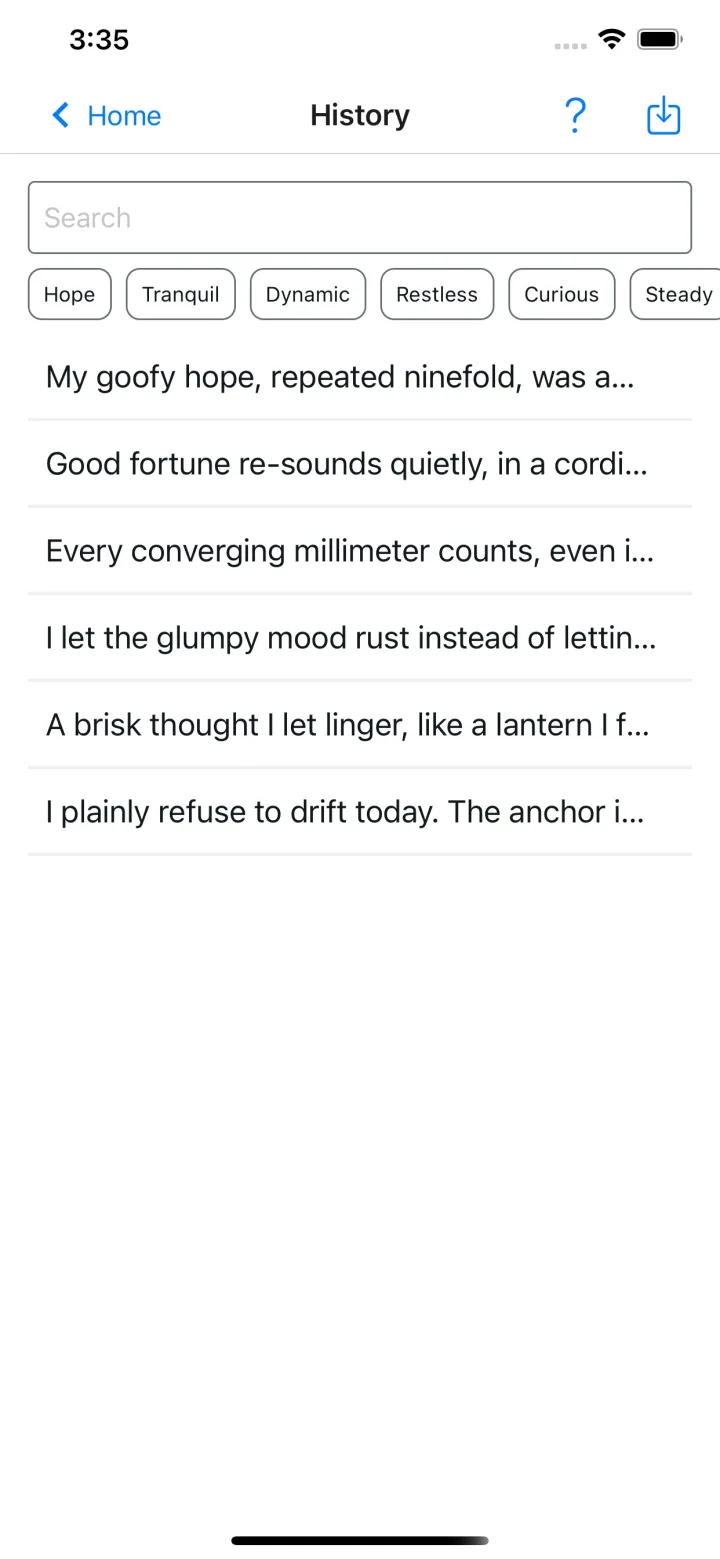
  • History & search
  • Custom tags & prompts
  • Export anytime
  • Free

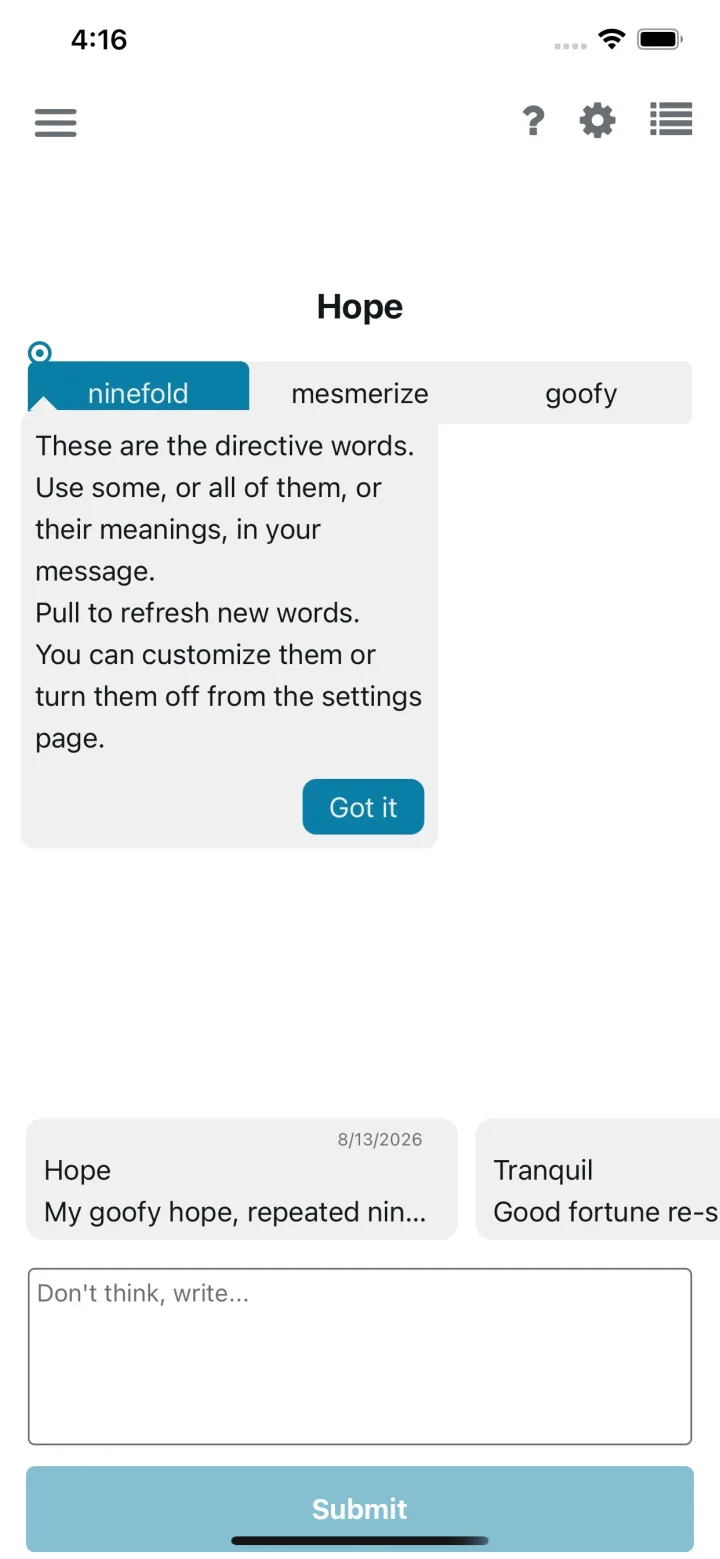
Hope

  • ninefold
  • mesmerize
  • goofy

Use some of the words, or none. One sentence, then move on.

    Saved. Move on.
    Type your own sentence if you like. Nothing is stored.
    • NoteOut home screen explaining the directive words under the Hope tag
    • NoteOut history screen listing past sentences with tag filters and search

    Entier, LLC

    A small studio, by design.

    Entier is an independent studio in Sacramento, California. We make focused tools, motion for Shopify storefronts and a one-minute daily ritual for finishing things, and we keep them focused.

    Each one does a single job well, stays light, and gets out of your way.

    1. Start small.

      Every tool here began as one specific job, done properly.

    2. Make it smooth.

      Motion should guide attention, never fight for it. And it has to feel good on an ordinary phone.

    3. Stay out of the way.

      No theme code touched, no storefront visitors tracked, nothing to learn before you start.

    Based in

    Sacramento, California

    Support for each app runs through its store listing.

    Player not loading? Watch it on YouTube.